<ol>- Ordered list:-
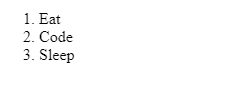
An ordered list typically is a numbered list of items. HTML gives you the ability to control the sequence number – to continue where the previous list left off, or to start at a particular number.
(ex):-
<ol>
<li>Eat</li>
<li>Code</li>
<li>Sleep</li>
</ol>
<ul>- Unordered list:-
An unordered list typically is a bulleted list of items. HTML gives you the ability to customise the bullets, to do without bullets and to wrap list items horizontally or vertically for multicolumn lists. The opening list tag must be <UL>.
(ex):-
<ul>
<li>Html</li>
<li>Css</li>
<li>Js</li>
</ul>
- Html
- Css
- Js
<li>- List:-
The <li> tag defines a list item. The <li> tag is used inside ordered lists(<ol>), unordered lists (<ul>), and in menu lists (<menu>). In <ul> and <menu>, the list items will usually be displayed with bullet points. In <ol>, the list items will usually be displayed with numbers or letters. Tip: Use CSS to style lists.
(ex):-
<li>Coffee</li>
<li>Tea</li>
<li>Milk</li>
<u>- Underline:-
The <u> tag represents some text that is unarticulated and styled differently from normal text, such as misspelled words or proper names in Chinese text. The content inside is typically displayed with an underline.
(ex):-
<p>This is some <u>Html</u> text.</p>
Html
<Strong> :-
The <strong> tag is used to define text with strong importance. The content inside is typically displayed in bold. Tip: Use the <b> tag to specify bold text without any extra importance!
(ex):-
<strong>Welcome to Html</strong>
Welcome to Html
<dl>- Description list & <dt>- Description title & <dd>- Description data:-
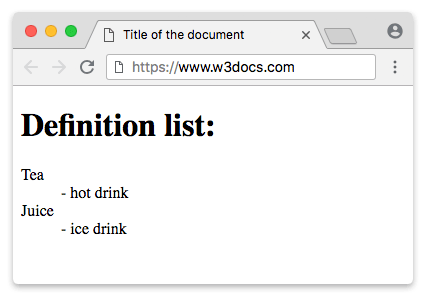
The <dl> HTML element represents a description list. The element encloses a list of groups of terms (specified using the <dt> element) and descriptions (provided by <dd> elements). Common uses for this element are to implement a glossary or to display metadata (a list of key-value pairs).
The <dt> tag defines a term/name in a description list. The <dt> tag is used in conjunction with <dl> (defines a description list) and <dd> (describes each term/name).
The <dd> tag is used to describe a term/name in a description list. The <dd> tag is used in conjunction with <dl> (defines a description list) and <dt> (defines terms/names). Inside a <dd> tag you can put paragraphs, line breaks, images, links, lists, etc.
(ex):-
<dl>
<dt>Tea</dt>
<dd> – hot drink</dd>
<dt>Juice</dt>
<dd> – ice drink</dd>
</dl>
<abbr> Abbreviation:-
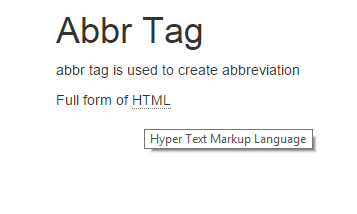
The <abbr> tag defines an abbreviation or an acronym, like “HTML”, “CSS”, “Mr.”, “Dr.”, “ASAP”, “ATM”. Tip: Use the global title attribute to show the description for the abbreviation/acronym when you mouse over the element.
(ex):-
<h1>Abbr Tag</h1>
 <p>abbr tag is used to create abbreviation </p>
 <p>Full form of <abbr title="Hyper Text Markup Language">HTML</abbr></p>
<time>
The <time> tag defines a specific time (or datetime). The datetime attribute of this element is used translate the time into a machine-readable format so that browsers can offer to add date reminders through the user’s calendar, and search engines can produce smarter search results.
(ex):-
<time datetime=”2008-02-14 20:00″>Valentines day</time>.
https://www.w3schools.com/tags/tryit.asp?filename=tryhtml5_time: Html TagsDownload attribute:-
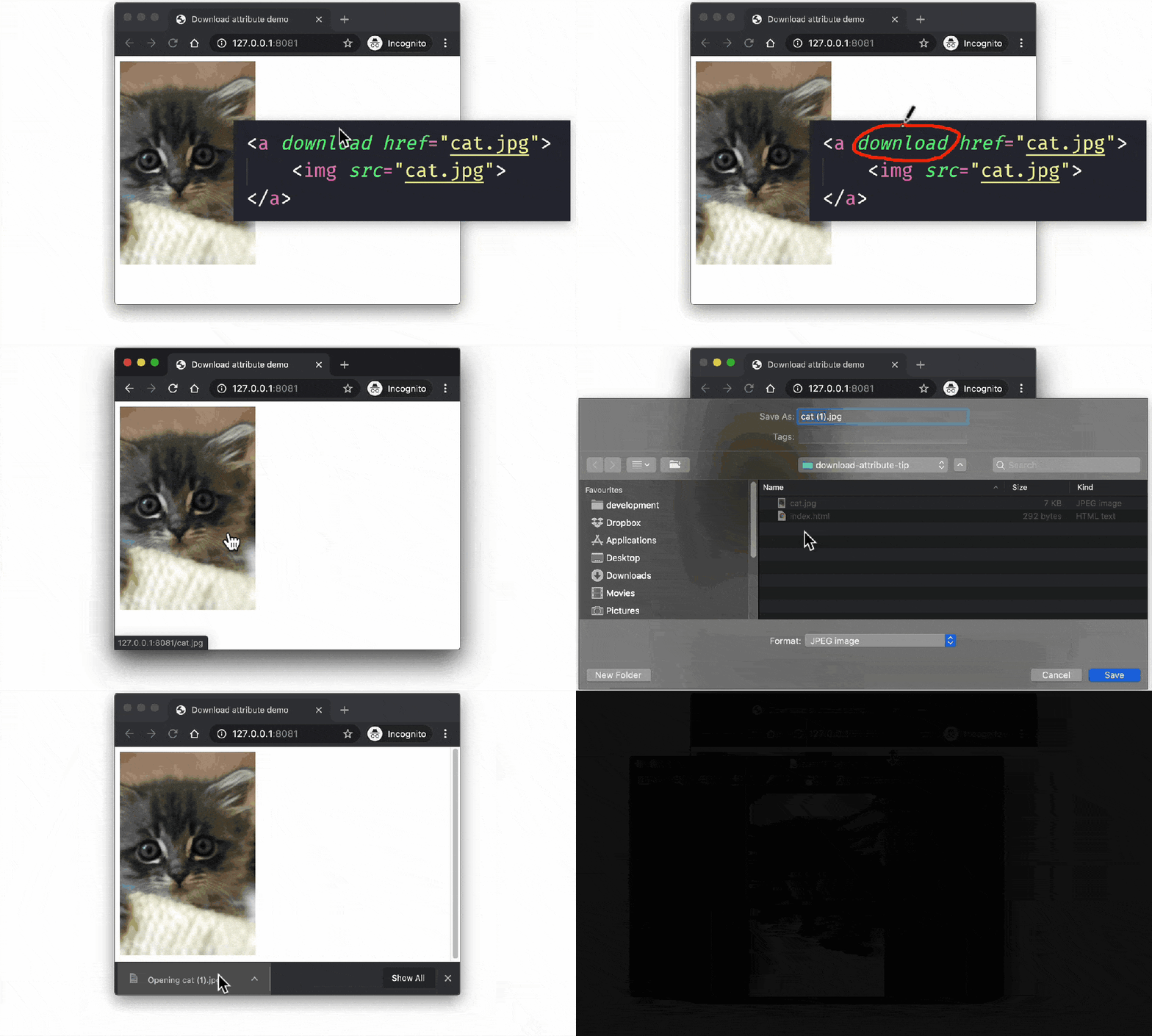
The download attribute specifies that the target will be downloaded when a user clicks on the hyperlink. This attribute is only used if the href attribute is set. The value of the download attribute will be the new name of the downloaded file.
mailto: attribute:-
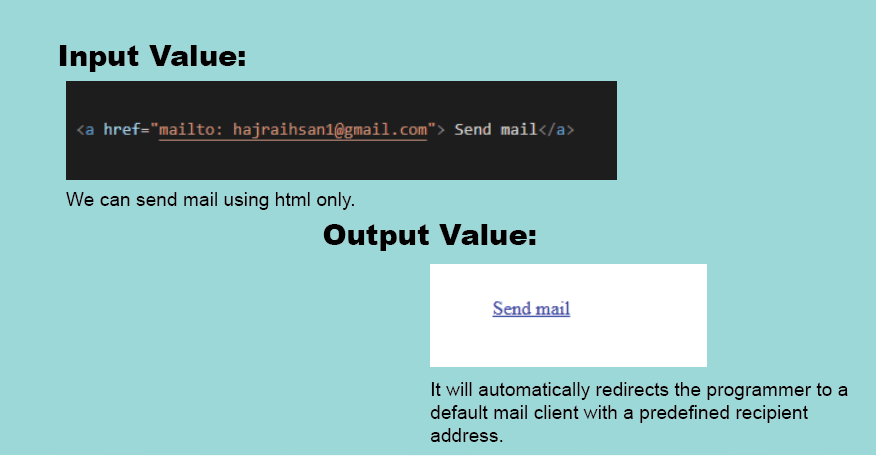
HTML <a> tag provides you option to specify an email address to send an email. While using <a> tag as an email tag, you will use mailto: email address along with href attribute. Following is the syntax of using mailto instead of using http.
href attribute:-
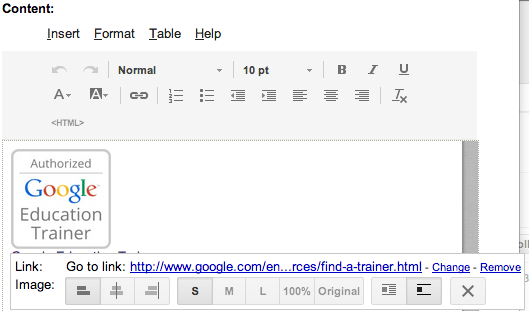
The href attribute specifies the URL of the page the link goes to. If the href attribute is not present, the <a> tag will not be a hyperlink. Tip: You can use href=”#top” or href=”#” to link to the top of the current page!
References:-

