TAGS:-

<em>
The <em> tag is used to define emphasized text. The content inside is typically displayed in italic. A screen reader will pronounce the words in <em> with an emphasis, using verbal stress.
<em>Welcome</em>
(ex):- Welcome
<p>
The <p> tag defines a paragraph. Browsers automatically add a single blank line before and after each <p> element.
<p> Web Design</p>
(ex):- Web Design
Headers:-
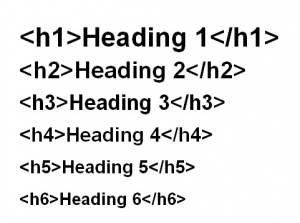
The <header> element represents a container for introductory content or a set of navigational links. A <header> element typically contains: one or more heading elements (<h1> – <h6>)
Block-level Elements:-
The <p> element defines a paragraph in an HTML document. The <div> element defines a division or a section in an HTML document. The <p> element is a block-level element. The <div> element is a block-level element.
(ex):- <h1><p> Thank you </p></h1>
Inline-Elements:-
Inline elements display in a line. They do not force the text after them to a new line. An anchor (or link) is an example of an inline element. You can put several links in a row, and they will display in a line.
(ex):- <a href=”www.gmail.com”>Gmail</a>
Empty Elements:-
An empty element is an element from HTML, SVG, or MathML that cannot have any child nodes (i.e., nested elements or text nodes). The HTML, SVG, and MathML specifications define very precisely what each element can contain.
The empty elements in HTML are as follows:
<area><base><br><col><embed><hr><img><input><keygen>(HTML 5.2 Draft removed)<link><meta><param><source><track><wbr>
Attributes:-
An HTML attribute is a piece of markup language used to adjust the behavior or display of an HTML element. For example, attributes can be used to change the color, size, or functionality of HTML elements.
- All HTML elements can have attributes
- Attributes provide additional information about elements
- Attributes are always specified in the start tag
- Attributes usually come in name/value pairs like: name=”value”
(ex):- <a href=”https://www.youtube.com”>Visit Youtube</a>
Boolean Attribute:-
A Boolean attribute is an attribute that can only be true or false. How does a Boolean attribute work? According to the HTML specification: The presence of a boolean attribute on an element represents the “true” value, and the absence of the attribute represents the “false” value.
allowfullscreenasyncautofocusautoplaycheckedcontrolsdefaultdeferdisabledformnovalidateismapitemscopeloopmultiplemutednomodulenovalidateopenplaysinlinereadonlyrequiredreversedselectedtruespeed
To add a Boolean attribute: node. setAttribute(attributeName, ”); // example: document. body.
References:-

